About Chibi Sup Color
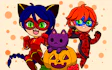
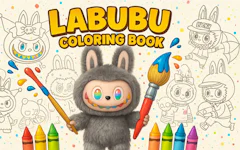
Chibi Sup Color hands you a blank canvas full of big-eyed chibi heroes and their goofy animal sidekicks, and the only job you have is making them look exactly how you imagine.
Read moreShow less
There is no timer, no wrong answer, and no pressure to finish fast. You pick a character, load up a color, and watch the picture come to life stroke by stroke, which makes this a relaxing pick for girls who like art more than action.
Between the spooky Halloween-themed characters and cute animal companions, there's a surprising amount of variety packed into one simple coloring app, and it fits right in with other Halloween games on the site too.
There's no scoring system here, so your only real goal is to end up with a picture you're proud of. As you get more comfortable moving between colors and backgrounds, you'll naturally start experimenting with bolder combinations and more detailed shading. The whole thing leans into a bright, candy colored art style that fits the coloring genre perfectly, and the soft sound of your brush gliding across the canvas keeps things calm without needing background music.
Pick a character, load up your favorite colors, and see what kind of chibi masterpiece you can put together in this drawing inspired coloring game. It only takes a minute to get started, and there's always another character waiting to be colored in.
Quick summary
- Paint a rotating cast of chibi heroes and their quirky animal friends.
- Choose from a huge range of vibrant colors for every single detail.
- Swap backgrounds to build the perfect scene around your character.
- Mix spooky Halloween touches with sweet, candy colored art styles.
- Save your artwork so you can look back on it or show it off later.
- Relax with slow, satisfying painting instead of racing a clock.
Key features
- A movable color palette that stays close to your cursor.
- Charming chibi characters paired with adorable animal companions.
- Switchable backgrounds for endless scene combinations.
- Simple, beginner friendly controls with zero learning curve.
- A built in save option so your art doesn't disappear.
- A gentle Halloween twist that spices up the usual coloring formula.
Tips & tricks
- Lay down lighter colors first, then add darker shades on top for depth.
- Use bold outlines around shapes to make your finished colors pop.
- Try a few different backgrounds before settling on your favorite.
- Don't worry about mistakes, coloring over them is part of the process.
- Save your progress often so you never lose a picture you like.



Comments