
Drawing on Canvas
Played: 40 times.
Description:
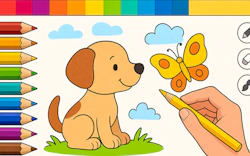
Transforming a blank white digital sheet into a beautiful masterpiece provides an incredible mental thrill. Playing this charming coloring challenge lets you build up detailed layers smoothly.
Experimenting with different brush sizes for bold strokes requires sharp tactical thinking. Mixing and matching shades makes every single drawing session tremendously engaging.
Sampling colors directly from your workspace adds massive depth to the journey. Saving your finished artwork correctly proves your artistic brilliance constantly.
🎮️ How to play
Desktop: Click and drag the mouse to paint and select tools
Mobile: Tap and swipe on the touch screen to paint and select tools
⭐ Key features
- Huge color palette giving you access to a limitless range of shades
- Multiple brush types helping you find the perfect stroke
- Layer support allowing you to build up dimension and depth easily
- Handy undo and redo buttons letting you fix mistakes without fear
- Clean modern visual style keeping your focus entirely on creativity
Navigating through intuitive menus ensures that nothing distracts you from your vision. Adding special blurring effects anchors your masterpiece success perfectly.
Soothing background music creates highly inspiring ambient atmospheres. Detailed virtual tools ensure that genuine moments of triumph feel truly authentic.
⚡ Quick summary
- Unleash your inner artist and create stunning digital paintings.
- Experiment with a wide variety of brushes, colors, and editing tools.
- Enjoy easy to use interfaces perfect for beginners and experts alike.
- Add special effects and textures to make your artwork unique.
- Save and share your masterpieces with friends and family.
🧠 Tips & tricks
- Start with a rough sketch using light strokes to plan your composition.
- Experiment with layers to create depth and dimension in your paintings.
- Use the color picker tool to sample hues directly from your canvas.
- Zoom in for detailed work so you can add fine textures carefully.
- Do not be afraid to experiment with new techniques and have fun.
🎥 Video gameplay
Video is currently not available.
📋 Game details
- Game title
- Drawing on Canvas
- Published
- at Tambi Games
- Technology
- HTML5
- Platforms
- Browser (Desktop, Laptop, Mobile)
- Tambi Games editor ratings
- ⭐⭐⭐⭐⭐ (4.6/5)
❓ Frequently asked questions (FAQ)
Q: Can I play this game on my smartphone:
A: Yes, it is fully optimized for mobile touch screens and runs beautifully right in your browser.
Q: How do I select different brush types on PC:
A: Simply use your mouse to click and pick brushes from the tool menu.
Q: Do I need to create an account to save my paintings:
A: No, you can sketch and export your creations directly without logging in.
Q: What should I do if I make a mistake on my drawing layer:
A: Just tap the undo button to revert the last stroke instantly.
Q: Are there any limits on how many colors I can mix:
A: Absolutely not, you have complete freedom to blend any shades you desire.





No comments yet. Be the first to comment!