
Fillwords: Find All the Words
Played: 33 times.
Description:
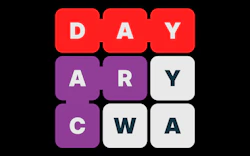
Step into the ultimate arena of mental deduction with Fillwords: Find All the Words, a highly refined intellectual word search puzzle engineered to maximize your pattern recognition, broaden your active vocabulary, and stimulate core logical processing. In this clean character landscape, players are presented with a grid of mixed letters. Your primary objective is to act as a linguistic tracker—isolating concealed target words by connecting adjacent letter blocks in any directional vector.
This title breathes vibrant new life into classic word hunting mechanics by removing structural boundaries. Unlike traditional matrices where words only flow along standard linear paths, here your targets can overlap, share nodes, intersect diagonally, or run completely in reverse. Operating without stressful time limits or harsh failure penalties, Fillwords delivers a deeply calming yet intellectually stimulating environment that helps students and veteran puzzle enthusiasts alike build absolute focus.
🎮️ How to play (controls)
Desktop (PC)
- Line Tracing: Left-click your mouse cursor over the initial character block of a word, then hold and drag your line fluidly across adjacent letters horizontally, vertically, or diagonally to submit your path.
- Grid Deciphering: Keep a close eye out for complex overlaps, as letters can frequently serve as intersecting nodes for multiple hidden terms simultaneously.
- Level Progression: Successfully uncover all the designated words within the matrix to systematically clear out the character pool, completely satisfying the board objectives to unlock the next stage.
Mobile and Tablet
- Touch Viewports: Fully responsive across all portable mobile screens. Simply tap the screen and swipe your finger smoothly across the digital character layout to link words together with flawless touch sensitivity.
⭐ Key features
- A massive library featuring hundreds of unique levels that scale dynamically from simple introductory grids to expansive, multi-layered character matrices.
- Total directional freedom allowing vocabulary words to run backward, forward, vertically, horizontally, or along sharp diagonal vectors.
- An integrated strategic hints framework designed to highlight elusive character coordinates whenever you hit a tough mental block.
- A clean, visually soothing interface pairing high-contrast typography with soft background palettes to reduce eye fatigue during long sessions.
- Optimized HTML5 web architecture that ensures rapid loading times and seamless, buffer-free performance with full offline functionality.
⚡ Quick summary
- Locate hidden terms across a randomized letter grid by tracing paths in any direction.
- Conquer an escalating difficulty curve that forces you to expand your spatial pattern recognition.
- Build superior reading recall, vocabulary depth, and cognitive deduction skills through regular play.
- Deploy helpful hint markers to unlock tight grid states when complex combinations leave you stuck.
- Enjoy immediate cross-platform browser play on desktop setups, tablets, and mobile phone viewports.
The definitive strategy for breaking through the most challenging boards in Fillwords: Find All the Words is to deliberately scan the matrix for low-frequency consonants like Q, Z, X, or J right away. Because these high-value characters can only pair with a highly restricted selection of letters, locating them instantly narrows down your possibilities and reveals the anchor points of your rarest target words. Furthermore, conditioning your eyes to read rows entirely backward and diagonally prevents your brain from getting trapped by obvious word patterns, allowing you to isolate intersecting terms much faster.
Stepping onto this polished text canvas drops you straight into an inviting educational sandbox where patient observation and precise structural tracing lead to total victory.
Sustaining a perfect streak across the advanced difficulty tiers requires deep focus and flexible problem-solving. Making this title a regular habit allows you to reap the complete cognitive benefits of an elite brain trainer, enjoy the smooth and satisfying progression of our deep puzzle layouts, and prove your tactical spelling instincts inside our definitive word catalog.
🧠 Tips & tricks
- Begin each layout by scanning for common prefixes and suffixes to quickly lock down foundational word boundaries.
- Focus your attention on rare letters like "Q" and "Z" early on, as they serve as excellent anchors for complex hidden vocabulary.
- Train yourself to read the character grids in reverse and along diagonal paths to reveal obscured terms that defy standard reading habits.
- Conserve your available hint tokens carefully, reserving them exclusively for large, dense matrices where words heavily overlap.
- Avoid rushing your inputs; take advantage of the untimed format to systematically scan the board and maintain a steady solving rhythm.
📋 Game details
- Game title
- Fillwords: Find All the Words
- Published
- at Tambi Games
- Technology
- HTML5 (Engineered on a lightweight, low-latency framework for instant canvas updates and highly accurate multi-directional input mapping)
- Platforms
- Browser (Completely compatible and highly stable across all Desktop PC setups, portable Tablets, and mobile smartphone viewports)
❓ Frequently asked questions (FAQ)
Q: Is Fillwords: Find All the Words free to play?
A: Yes! You can test your pattern recognition, solve hundreds of complex word grids, and train your brain completely for free on Tambi Games.
Q: Can words share the exact same letters or cross paths inside the grid?
A: Absolutely. Words can overlap seamlessly or run in completely opposite directions, meaning a single letter tile can often serve as a vital component for multiple terms.
Q: Can children use this application to improve their reading and spelling skills?
A: Yes. The title belongs to our specialized educational catalog, making it a fantastic tool for reinforcing letter chunking, spatial reasoning, and active vocabulary recall.
Q: Do I need an active internet connection to play this puzzle game on my phone?
A: Not at all. The advanced HTML5 design fully supports offline play once loaded, allowing you to enjoy a smooth mental workout anywhere, even while traveling.
Q: What should I do if I am completely unable to find the final remaining word on a large board?
A: A valuable tactical pro tip is to use a hint token to automatically reveal a character coordinate, or step back and scan the grid outward from the least common letters left on the screen.










No comments yet. Be the first to comment!