Labubu Shooter
Played: 53 times
Description:
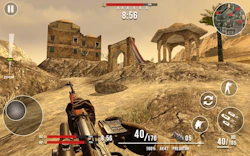
Labubu Shooter turns cute internet mascots into your newest enemy problem. You play a Counter Strike style operative dropped into blocky, Minecraft inspired levels where waves of mischievous Labubu creatures come at you in packs.
It is a strange mashup on paper, tactical FPS gunplay meets a cartoonish, almost toy like enemy design, but that contrast is exactly what makes it fun. You are not fighting soldiers or zombies, you are fighting fuzzy chaos, and the game leans hard into that joke while still asking you to aim, reload, and manage your resources like a real shooter.🎮️ How to play
Movement and combat use standard FPS controls, so anyone who has played a shooter before will feel at home fast.
- WASD to move
- Mouse to look around
- Left mouse button to shoot
- Right mouse button to aim or use your flashlight
- R to reload
- F to use, G for grenade, H for melee
- C to crouch, Space to jump, Shift to run
- Number keys 1 to 9 to select a weapon
- M to mute, Tab to pause
⚡ Quick summary
- Fight off waves of quirky Labubu creatures in a first person view.
- Explore blocky, Minecraft inspired levels built for close quarters combat.
- Switch between up to nine different weapons on the fly.
- Use grenades and melee attacks when enemies get too close.
- Aim down sights or flick on your flashlight to spot targets in darker corners.
- Crouch and sprint your way around the map to stay one step ahead of the horde.
⭐ Key features
- Blocky, cube built world with a distinct Minecraft flavor
- Goofy, unpredictable Labubu enemies instead of standard soldiers
- A full tactical FPS toolkit with reload, aim, grenades, and melee
- Nine weapon slots so you can swap loadouts mid fight
- Flashlight and aim down sight mechanics for tighter shots
- Crouch and sprint movement for real positioning choices
Progression here is less about a story and more about staying alive as the waves ramp up. Each new group of Labubu tests whether you have learned the map, saved enough ammo, and picked the right weapon for the moment. The blocky visual style keeps everything readable even when the screen fills with enemies, and the mix of gunfire, reloads, and the odd Labubu noise gives the whole thing a playful, slightly chaotic soundscape. If you enjoy fast paced shooting games but want something with a sillier skin on top, this scratches that itch.
🧠 Tips & tricks
- Learn your number key weapon slots early so you can swap without looking down.
- Save grenades for when a group of Labubu bunches up in one spot.
- Use the flashlight in darker areas instead of firing blind.
- Crouch behind blocky cover to reload safely mid wave.
- Keep moving. Standing still is the fastest way to get surrounded.
Grab a weapon, get comfortable with the controls, and see how many waves of Labubu you can survive. It only takes a click to jump in and start playing.
🎥 Video gameplay
Video is currently not available.
📋 Game details
- Game title
- Labubu Shooter
- Published
- at Tambi Games
- Technology
- HTML5
- Platforms
- Desktop Browser
- Tambi Games editor ratings
- ⭐⭐⭐⭐ (3.8/5)
❓ Frequently asked questions (FAQ)
Q: Is Labubu Shooter a serious military shooter or more of a joke:
A: It plays like a real tactical FPS with reloading, aiming, and grenades, but the enemies are goofy Labubu creatures instead of soldiers, so the tone stays lighthearted:
Q: How many weapons can you carry at once:
A: You have up to nine weapon slots that you can switch between using the number keys, so you can pick the right tool for each wave:
Q: What do the blocky levels look like:
A: The levels use a cube based, Minecraft inspired style, which keeps the world colorful and easy to read even during busy fights:
Q: Are there melee options if I run out of ammo:
A: Yes, you can switch to melee attacks or throw a grenade when Labubu get too close for comfortable shooting:









No comments yet. Be the first to comment!