
Traffic Pro
Played: 41 times.
Description:
Managing a chaotic series of rapid mini challenges requires constant mental flexibility and instant reflex shifts. One moment you are directing a vehicle through heavy highway lanes, and the next you are operating a frog tongue to snap insects out of the air. Keeping up with these sudden shifts is the only way to protect your cumulative match score.
Each unique mini game operates on a tight countdown timer that forces you to make decisions within a fraction of a second. Failing to clear a single puzzle row breaks your active win streak and resets your performance rewards instantly. Your final ranking tier updates the exact moment you finish the final round of the daily compilation playlist.
The layout uses basic input mechanics that adapt immediately to whatever bizarre goal the screen presents next. Dealing with these shifting digital rules offers a lighthearted challenge that tests how fast your hands can execute fresh instructions.
🎮️ How to play (controls)
Desktop: Press the left or right arrow keys on your keyboard to navigate roads or activate actions
Mobile: Touch the left or right side of your digital screen to steer and clear objectives
⭐ Key features
- Crazy collection of mini games
- Catch flies with your tongue
- Play solo or with your friends
- Test your skills against AI opponents
- Expect the unexpected always
⚡ Quick summary
- Tons of varied mini games.
- Play against friends or AI.
- Bright colorful graphics.
- Catchy upbeat soundtrack.
- Simple controls challenging gameplay.
Guiding sweet flight paths and matching bright colorful rows inside responsive friendly puzzle boards
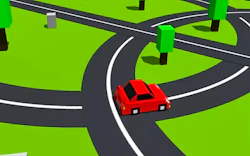
Steering a small yellow car through dense crossroad traffic represents just one of the many unpredictable micro tasks hidden in this app. Navigating the busy intersections safely requires proper timing so you do not smash into oncoming delivery trucks.
The minimal learning curve transforms this collection into a perfect hypercasual option for short entertainment sessions during work breaks. You can swap between hunting insects and dodging concrete barriers without reading long instructional screens.
The dynamic reaction tests respond instantly to a simple finger tap on either side of your active display viewport. Having absolute authority over the timing of your commands is necessary when the countdown timer drops below three seconds.
Engaging with these silly scenarios provides a lot of casual fun because the rules shift completely every twenty seconds. Watching a cartoon animal react to your steering blunders keeps the mood light even when you fail a tough objective.
The inclusion of a local multiplayer option allows you to pass your device around to see who can achieve the highest survival record. Competing against your friends locally introduces an extra layer of tension to the frantic insect catching sequences.
🧠 Tips & tricks
- Look closely at the brief title card before a mini game starts to understand your next goal immediately.
- Keep your fingers hovering near the screen edges so you can execute movement commands without any physical delay.
- Prioritize survival over optional point items when the speed of the traffic intersection reaches maximum velocity.
- Observe the movement paths of the flying insects during the warm up phase to anticipate their flying vectors.
- Do not get discouraged by a sudden loss because memorizing the minigame rotation makes future attempts much easier.
🎥 Video gameplay
Video is currently not available.
📋 Game details
- Game title
- Traffic Pro
- Published
- at Tambi Games
- Technology
- HTML5 (Standard web execution code built with agile canvas elements for rapid state transitions and immediate touch tracking on mobile viewports)
- Platforms
- Browser (Desktop, Laptop, Mobile, Tablet)
- Tambi Games editor ratings
- ⭐⭐⭐ (2.7/5)
❓ Frequently asked questions (FAQ)
Q: What specific event occurs if my vehicle collides with a delivery truck during the crossroad segment:
A: That specific mini game ends immediately and your current score multiplier drops down by one level:
You can prevent these costly penalties by waiting patiently in the center lane until a large gap opens up in the traffic flow.
Q: How can players unlock the hidden golden frog skin option inside the reward screen gallery:
A: This shiny character look unlocks automatically after you clear fifteen insect catching micro rounds successfully:
Once your career profile matches that milestone number you can visit the primary settings menu to toggle the golden skin before your next match.
Q: Is this multi challenge bundle optimized to maintain stable frame rates on basic mobile browsers:
A: Yes the software relies on low memory vector shapes to ensure fluid animations across older smartphone models:
The internal script monitors your screen presses very quickly so you can swap lanes and grab flies without experiencing touch delays.
Q: Why do glowing blue stopwatch icons drop into the active play zone occasionally:
A: Snatching a blue stopwatch icon adds four extra seconds to your current challenge timer automatically:
Collecting these stopwatches frequently gives you a much better safety margin when a puzzle level requires complex lane choices.
Q: Will my custom skins and highest micro game achievements remain intact if I exit the web tab:
A: The application architecture saves your personal milestones directly inside the local storage cache of your internet browser:
As long as you do not perform a manual clearing of your temporary application cookies your high score data will stay completely safe.














No comments yet. Be the first to comment!