Twin Dash
Played: 25 times.
Description:
Controlling two independent moving objects simultaneously through synchronized neon courses requires a unique division of mental focus and perfect muscle memory. Every obstacle configuration demands that both paths remain clear at the exact same moment to prevent a catastrophic crash. Keeping both runners aligned becomes increasingly difficult as the corridor scrolling velocity shifts into high gear.
The layout forces you to monitor two separate tracks on the screen while executing unified inputs that alter the positions of both characters at once. Missing a tiny gap in the lower corridor because your eyes were tracking the top platform terminates your progress instantly. Your total distance performance logs into the system memory the millisecond a single twin strikes a red block.
The core framework relies on rapid coordination drills where a single steering command splits across two distinct lanes without any processing delay. Navigating this mirrored obstacle setup offers an excellent response exercise that challenges your spatial awareness during quick daily sessions.
🎮️ How to play (controls)
Desktop: Press arrow keys or click left mouse button to jump lanes
Mobile: Tap the screen to switch both tracks instantly
⭐ Key features
- Unique twin runner mechanic
- Increasingly challenging levels
- Simple intuitive controls
- Addictive fast paced action
- Mobile friendly for on the go gaming
⚡ Quick summary
- Control two runners at once.
- Dodge tricky obstacles in sync.
- Super fast paced high energy gameplay.
- Perfect for short bursts of fun on the go.
- Test your reflexes and coordination.
Guiding sweet flight paths and matching bright colorful rows inside responsive friendly puzzle boards
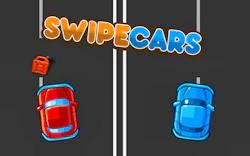
The visual style replaces traditional car designs with sleek minimalist blocks that glide smoothly down parallel tracks. This clean geometric layout makes it much easier to track the exact collision boundaries when the speed hits maximum capacity.
The overall structure mimics the split second decision making of a high speed arcade racing application where you cannot afford to take your eyes off the screen. Memorizing the repeating shapes of the incoming block walls lets your hands prepare the necessary shifts ahead of time.
Succeeding on the mirror platforms demands a massive amount of personal concentration and timing skill rather than pure guesswork. Learning how to process two visual streams at once helps you find the safe zones before the countdown timer expires.
Managing the frantic double lane puzzle provides plenty of immediate fun as you try to break your previous movement records. Watching your coordination improve over multiple attempts makes the challenging sequences highly satisfying to master.
🧠 Tips & tricks
- Try to soften your gaze so you can watch both tracks together instead of moving your eyes up and down constantly.
- Use short light screen taps to ensure your character shifts execute with maximum speed and precision.
- Anticipate the upcoming obstacle patterns by looking at the far right edge of the screen layout early.
- Take regular short breaks between matches to refresh your eyes and maintain your peak reaction times.
- Focus entirely on the rhythm of the beat because the block placements often match the background audio cues.
🎥 Video gameplay
Video is currently not available.
📋 Game details
- Game title
- Twin Dash
- Published
- at Tambi Games
- Technology
- HTML5 (Standard digital rendering system built for rapid multi coordinate collision checking and zero lag input processing on mobile browsers)
- Platforms
- Browser (Desktop, Laptop, Mobile, Tablet)
- Tambi Games editor ratings
- ⭐⭐⭐⭐ (4.2/5)
❓ Frequently asked questions (FAQ)
Q: What specific penalty occurs if only one of the twins collides with a red hazard block:
A: The entire gameplay session terminates immediately and your combined distance score registers on the leaderboard menu:
You can prevent these instant game over screens by keeping your focus distributed equally across both platforms during tight splits.
Q: How can players unlock the neon blue crystal character skins inside the customization hangar:
A: This specialized visual style unlocks automatically after your profile survives for two minutes in a single run:
Once your career records hit that specific time goal you can visit the primary layout store to equip the blue skin before your next try.
Q: Is this double lane coordination script optimized to prevent frame drops on budget mobile browsers:
A: Yes the software relies on simple vector geometry and low resource background assets to stay perfectly fluid on mobile viewports:
The touch listener engine reads your screen inputs very fast so you can swap lanes and dodge walls without experiencing touch lag.
Q: Why do glowing white star tokens appear in the middle of narrow corridors occasionally:
A: Collecting a white star token gives both runners a temporary phase shield that absorbs one collision hazard automatically:
Snatching these shields allows you to navigate crowded barrier rows with extra confidence since you can survive a minor steering mistake.
Q: Will my highest distance records and custom skin unlocks stay saved if I exit the active web browser tab:
A: The application architecture saves your personal progression directly inside the local cache memory storage of your internet browser:
As long as you do not perform a manual clear of your temporary application cookies your high scores will remain completely safe.







No comments yet. Be the first to comment!