
Two Blocks
Played: 41 times.
Description:
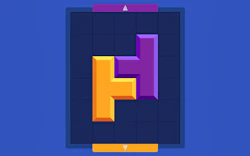
Connecting matching color pairs across a grid canvas requires smart planning before you run out of empty lanes. If you slide pieces around without checking how neighboring hues align, you will lock up your active options very quickly. Wiping out grouped sets from the board is the single way to open up your layout and advance toward the next stage.
The main task focuses on scanning your available layout and linking identical shades to clear them from your screen. You should always watch your isolated items because leaving lone squares far away from their pairs makes it tough to clear the field later on. Managing your open spaces wisely keeps your session going smoothly without generating messy deadlocks on the field.
Since the stages offer more intricate tile systems as your journey continues, your early decisions seal your fate. Keeping your workspace clear of tight clusters leaves plenty of room for fresh color arrivals and ensures your puzzle run stays highly enjoyable.
🎮️ How to play (controls)
Desktop: use your mouse to drag and connect the matching color squares on the grid
Mobile: drag on your touchscreen to connect the matching color squares on the grid
⭐ Key features
- Thousands of brain-teasing puzzles.
- Intuitive and easy-to-learn gameplay.
- Beautiful and vibrant visuals.
- Addictive and satisfying matching mechanics.
- Perfect for players of all skill levels.
⚡ Quick summary
- Match colorful blocks to clear the board!
- Over 5000 levels to conquer!
- Starts easy, gets seriously challenging!
- Test your strategy and problem-solving skills.
- Perfect for quick play or long sessions.
Linking vibrant color arrays and clearing thousands of challenging grid setups
Clearing bright tile combinations from a clean frame provides a beautifully smooth concentration test that sharpens your logical focus during short daily breaks. The neat feeling of sliding a solid block element straight into its twin makes this clean application a wonderful pick for an afternoon break.
Instead of forcing quick choices with a loud countdown clock, the system relies on an approachable design that lets you explore solutions at your own comfortable pace. This patient approach turns the title into a fantastic example of a modern addictive hit that anyone can open and enjoy immediately on any device.
Engaging your spatial logic to fix fractured layouts transforms this straightforward pairing activity into a highly rewarding brain hobby. Anyone hunting for a smart digital puzzle quest that replaces frantic action with relaxing, satisfying mechanics will find this journey completely entertaining.
While the falling piece mechanics differ from a standard tetris game, the deep strategic value of managing a crowded board remains just as intense. Watching giant clusters disappear with a clean sound effect keeps your engagement levels high through every single level.
🧠 Tips & tricks
- Start by focusing on the most isolated blocks.
- Plan several moves ahead to avoid dead ends.
- Look for opportunities to create chain reactions.
- Don't be afraid to restart a level if you get stuck.
- Avoid random matches; think strategically!
🎥 Video gameplay
Video is currently not available.
📋 Game details
- Game title
- Two Blocks
- Published
- at Tambi Games
- Technology
- HTML5 (Cross-platform responsive)
- Platforms
- Browser (Desktop, Laptop, Mobile, Tablet)
- Tambi Games editor ratings
- ⭐⭐⭐⭐⭐ (4.7/5)
❓ Frequently asked questions (FAQ)
Q: What is the primary method used to clear shapes from the board:
A: You must drag and link tiles that share the exact same color code to remove them from the layout:
Connecting larger groups simultaneously clears more space and helps you complete your goals faster.
Q: How many unique challenge levels can I expect to find in this title:
A: The system features more than 5000 unique layouts that grow steadily more complex as you advance:
New color choices and tricky shapes keep the overall experience fresh and exciting for hours.
Q: What should I do if I run out of valid matching moves on my screen:
A: You can use the instant restart option to refresh the board back to its initial setup at any time:
Starting the stage fresh lets you try alternative path choices without losing your unlocked progress.
Q: Is there an active time countdown forcing me to make quick choices:
A: No, the app operates entirely without time limits so you can study the colors for as long as you need:
Taking your time to consider future links prevents you from leaving single shapes stuck in distant corners.
Q: Will the web application remember my stage progress if I close the tab:
A: Yes, all your completed milestones and unlocked stages stay safely stored in your local browser cache memory.


No comments yet. Be the first to comment!