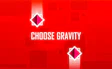
About Choose Gravity
It is an arcade game with exactly one input, and all of it comes down to when you use it.
Every barrier you get past makes the ball move faster, so the next one arrives sooner. The obstacles also get more complex as you go, which turns a calm start into a quick skill test. There is no final level. The course keeps going in a loop for as long as you can keep up.
Key features
- You control a single ball by switching the direction of gravity.
- A tap is the only control in the game.
- The speed goes up after every barrier you pass.
- Obstacles become more complex the further you get.
- The course runs as a continuous loop instead of a set of levels.
Tips & tricks
- Keep your eyes on the barriers coming up ahead, not on the ball, so you can plan the next flip before you need it.
- Start tapping a little earlier as the speed climbs, because each pass gives you less time to react.
Frequently asked questions
What changes the longer I play?
The ball speeds up after every successful pass, and the obstacles get more complex.
How do I change the ball's direction?
Tap the screen to flip gravity. That single tap is the whole control scheme, so it plays a lot like a one-button clicker.







Comments