Counter Craft Classic
Played: 47 times
Description:
Counter Craft Classic drops you into a blocky arena with a rifle in your hands and no crafting table in sight. This is a shooting game built inside a Minecraft-style world, where the usual peaceful mining and building has been replaced by zombies, creepers, and endermen hunting you down.
You wake up in a small starting area with nothing but your weapons and your wits. From there, the goal is simple to explain but hard to pull off, find the exit before the blocky monsters find you first.What makes this different from a typical shooter is the setting. The walls, floors, and enemies are all made of chunky voxel blocks, giving every corridor and open room a familiar Minecraft look even though nothing here is friendly. Creepers in particular are a real threat since they explode on death, so knowing when to back off matters as much as knowing when to shoot.
🎮️ How to play
You control a soldier moving through Minecraft-style levels, looking for the exit while fighting off waves of blocky enemies.
- Move the cursor to look and aim.
- Left mouse button to fire or attack.
- Right mouse button to toggle your flashlight.
- W or up arrow to move forward, S or down arrow to move backward.
- A or left arrow and D or right arrow to turn.
- Spacebar to jump.
- Shift to sprint and C to crouch.
- Mouse wheel or number keys to cycle weapons.
- R to reload.
⚡ Quick summary
- Fight your way through Minecraft-style arenas packed with zombies, creepers, and endermen.
- Explore each level in first person while hunting for the hidden exit.
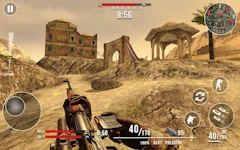
- Manage your health and ammo, both shown clearly on screen as you play.
- Switch between multiple realistic weapons using the mouse wheel or number keys.
- Watch out for creepers, since they explode when they die and can catch you off guard.
- Enjoy a mix of blocky exploration and fast paced action combat.
⭐ Key features
- A full first-person shooter built inside a Minecraft-inspired arena.
- Realistic guns with reload and weapon-switching mechanics.
- Enemies that spawn randomly and can group up around you.
- Explosive creepers that reward smart positioning over button mashing.
- A flashlight for checking dark corners and hidden paths.
- Simple health and ammo counters that keep the pressure visible.
Progress in Counter Craft Classic comes from clearing one level and pushing into the next, each one throwing more enemies and trickier layouts at you. There's no crafting or building here, this is a straightforward run and gun experience wrapped in a first person shooter shell, and that focus is part of the appeal. The blocky, low-poly visuals keep things readable even when things get chaotic, and punchy gunfire and creeper hisses do a good job of keeping you on edge as you search for the way out.
🧠 Tips & tricks
- Be ready the moment a level loads, enemies can spawn close to your starting spot.
- Keep your distance from creepers rather than fighting them at close range.
- Let a creeper's explosion damage nearby enemies instead of eating the blast yourself.
- Reload during quiet moments so you're never caught with an empty gun.
- Use your flashlight in darker sections so you don't stumble past a hidden exit.
If you're in the mood for a shooter that trades realism for blocky chaos, Counter Craft Classic gives you exactly that. Grab your weapon, keep moving, and see how many levels you can clear before the mobs catch up to you.
🎥 Video gameplay
Video is currently not available.
📋 Game details
- Game title
- Counter Craft Classic
- Published
- at Tambi Games
- Technology
- HTML5
- Platforms
- Desktop Browser, Mobile
- Tambi Games editor ratings
- ⭐⭐⭐⭐ (4.2/5)
❓ Frequently asked questions (FAQ)
Q: What enemies will you actually face in Counter Craft Classic:
A: You'll run into zombies, creepers, and endermen, all rendered in the same blocky style as a classic Minecraft world:
Q: Why are creepers more dangerous than the other enemies:
A: Creepers explode when they die, so getting too close can hurt you even after you've already defeated one:
Q: How do you actually complete a level:
A: You need to explore the area, fight off anything in your path, and find the exit before your health runs out:
Q: Can you tell how much health and ammo you have left while playing:
A: Yes, your health sits in the bottom left corner of the screen and your ammo count sits in the bottom right:








No comments yet. Be the first to comment!