About Duo Nether
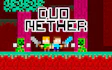
The maze and everything in it are drawn in pixel art.
This is a co-op 2 player game, so you and a friend share one keyboard and have to work through the maze together. Your swords are for more than hitting things, because you can also throw them.
Read moreShow less
The maze is full of beasts to cut down, which puts it among our monster games. Along the way you pick up loot, and the stones you gather are what open chests.
The game drops one clear hint. A move called the Jump-Throw can get you out of trouble, so keep it in mind whenever the way forward looks blocked.
Key features
- Two players team up on the same keyboard.
- Both heroes fight with swords and can throw them.
- Stones you collect open chests.
- The Jump-Throw move helps in tight spots.
- It plays as a co-op arcade game mixing fights and puzzles.
Tips & tricks
- Pick up every stone you see, since chests only open with them.
- When a spot looks impossible to get past, try the Jump-Throw.
Frequently asked questions
How do you throw your sword?
Press Q or P, one key for each player.
What are the stones for?
They open chests, so grab them as you explore this co-op adventure.




Comments