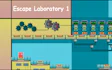

About Escape Laboratory 1
The game is split into levels, and each one puts more complex puzzles between you and the exit of this escape game.
The rooms hold hidden objects you can interact with. Some of them turn out to be the keys and tools that open the next part of this puzzle adventure.
Read moreShow less
Small hints are tucked into the surroundings, so the corners of a room can matter as much as the puzzle in front of you. You steer through the lab yourself instead of just clicking from screen to screen, which gives it more of an action feel than a classic escape room.
Key features
- The laboratory is laid out like a maze that you explore on foot.
- Free movement with the arrow keys gives it an arcade touch.
- Keys and tools you collect are what let you move forward.
- Hidden objects and subtle hints are spread around the rooms.
- Puzzles get more complex with every level.
Tips & tricks
- Check the walls and corners of each room, since small hints are hidden in the surroundings.
- Pick up every key and tool you find, because they are what open the way forward.
- Slow down on later levels, where the puzzles get more complex.
Frequently asked questions
What do I need to reach the next part of the lab?
Keys and tools, which you collect by interacting with objects in the rooms.
Do the levels get harder?
Yes. Each level brings more complex puzzles than the one before.
How do I play on a phone?
Hold your device in landscape, swipe to move and tap objects to interact.









Comments