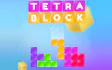
About Tetra Blocks
It is a block puzzle where every piece counts, because gaps left behind stay in your way.
Each completed line raises your score and pushes you toward the next level. Levels do not stay the same for long, since the blocks drop faster as you go, so this tetris style game turns from calm stacking into quick decisions.
Read moreShow less
The real goal is keeping the board clear. Careful placement early on gives you room to breathe later, when there is little time to fix a messy stack.
Quick summary
- Blocks fall from the top of the board one after another.
- You move and rotate each block to fill complete horizontal lines.
- Full lines clear, add points and move you up in levels.
Key features
- It follows the classics formula of falling blocks and line clearing.
- Blocks speed up as you reach higher levels.
- The whole game runs on just three arrow keys.
- It plays in portrait mode on mobile devices.
Tips & tricks
- Rotate a block while it is still high up, because at higher levels it reaches the bottom quickly.
- Avoid leaving holes under blocks, since a clean board is much easier to manage once the speed picks up.
Frequently asked questions
What changes when I level up in Tetra Blocks?
The blocks fall faster, so you have less time to plan each placement. That makes it good practice for brain games where quick thinking matters.
How do I rotate a block?
Press the Up arrow key.







Comments